Welcome to visit Seetop Technology Official Website

DLP LCD Animation Statue 3D printing

DLP 3D Printing

Resin-based 3D printing which is termed as vat polymerization is been categorized in three formats: SLA, DLP, and LCD.

DLP 3D Printing

Digital Light Processing 3D Printing 

Digital Light Processing was first developed in 1987 by Larry Hornbeck — but not for 3D printing. The tech was developed for projectors and for cinema usage well before it’s potential benefits in 3D printing were discovered. Now, over 30 years later, DLP 3D printers are expected to grow over 30% a year in sales according to Business Wire between 2018 and 2024!

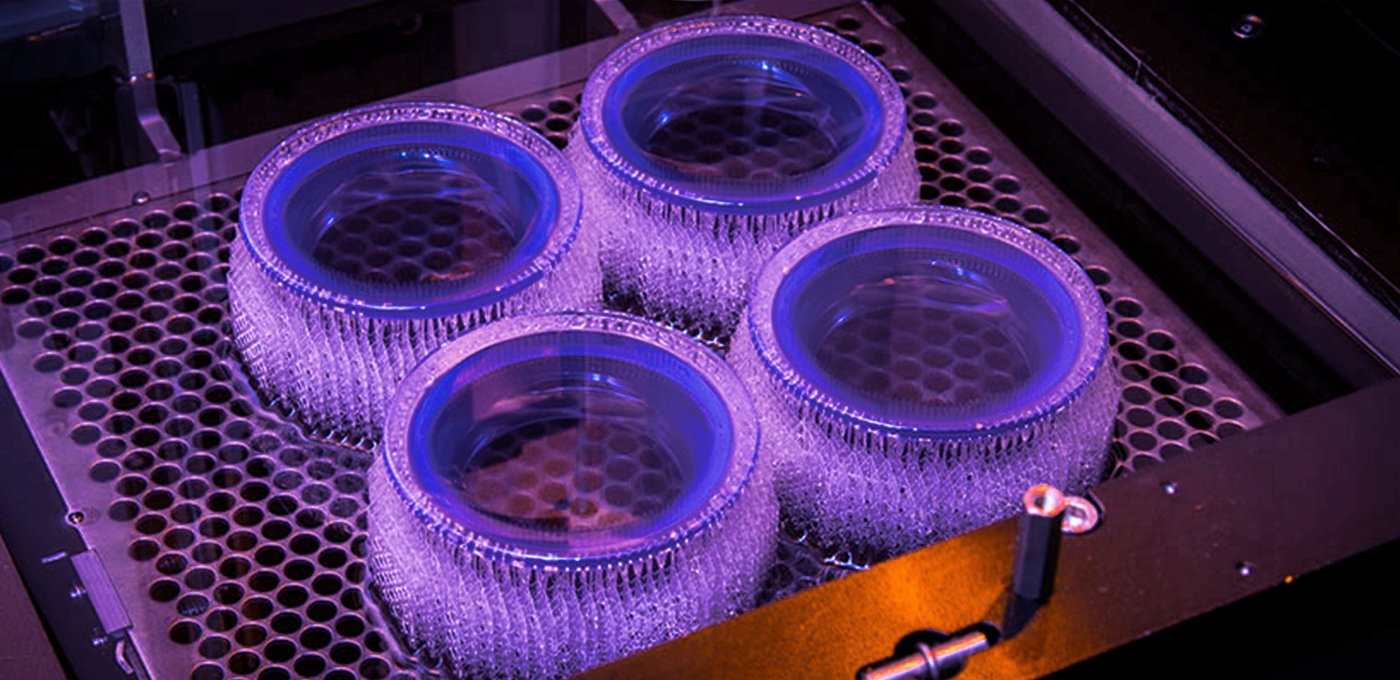
DLP 3D printing uses a projector, rather than a UV light laser as with SLA. The projector flashes light onto the entire layer of resin at once, selectively solidifying the part using thousands of minuscule mirrors called DMDs (digital micromirror devices) that direct the projection of light.

These projectors use pixels, with layers consisting of voxels, as with regular 2D or 3D cameras.

DLP 3D printing Basic Parameters:

Version

P4K 35 or P4K 62 or P4K 75 or P4K 90

Build Envelope

90 x 56 x 180 or 160 x 100 x 180 mm or 192 x 120 x 180 mm or 230 x 143.75 x 180 mm

Native Pixel Size XY

35 µm or 62 µm or 75 µm or 90 µm

Pixel Size With ERM

23 or 40 or 49 or 59

Dynamic Voxel Resolution in Z

25 – 150 µm, material dependent

Projector Resolution

2560 x 1600 (WZXGA)

Data Handling

STL

Footprint

73 x 48 x 135 cm or 73 x 48 x 160 cm


After Printing Has Finished

After you’ve finished printing your part with DLP, the post-processing is fairly simple. If you’ve used supports, these will need to be removed by placing the part in a bath of isopropanol or similar solvent. Leave the part for a while so the supports can dissolve.


Digital Light Processing Print Quality

DLP prints are above and beyond what is capable from almost any FDM 3D printer. Extremely intricate and difficult geometries can be created using this technology, which is why it has so many applications in 3D printed jewelry and prototyping.

For the same layer thickness, DLP prints are noticeably better than any FDM print, and better than most SLS prints. The surface areas of DLP printed parts are so smooth that is almost impossible to tell that the part was created in layers at all.


Digital Light Processing Applications

There are three main industries than resin models are of particular use. 

The first is in dentistry, which includes making models for use in orthodontics, teeth molds, and more.

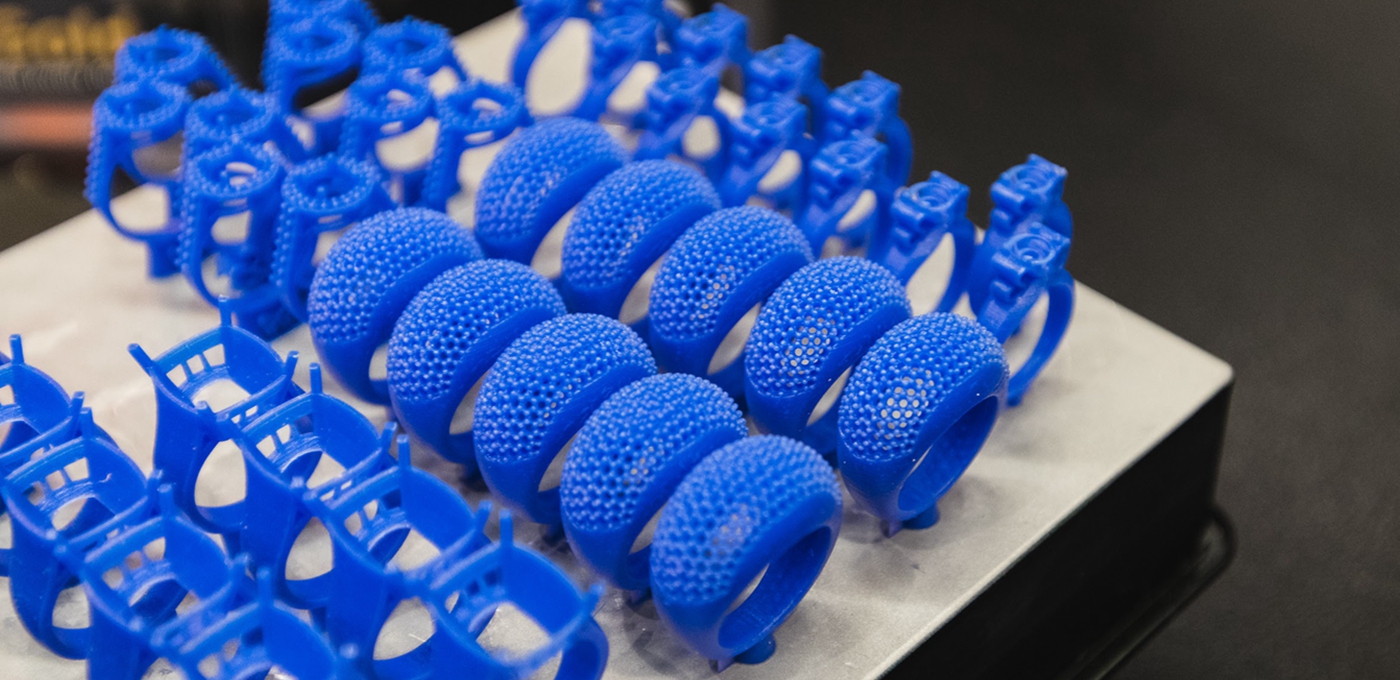
The second is in jewelry in making molds which are eventually used to create solid metal jewelry pieces. We have a guide that explains how lost wax casting 3D printing works which covers this. DLP’s ability to create detailed and intricate pieces is invaluable in this process.

The 3rd is medical and clinics


Post-processing:

DLP printing found initial application as an instrument for rapid prototyping in research settings. Introducing DLP printing into manufacturing settings has been slower due to problems with scaling production, reproducibility and part quality. The co-development of printing processes and materials is not only critical during the initial build process. Photopolymerization kinetics also affect post-processing of end-use parts. The acceptance of 3D printing into manufacturing settings has been restricted by extensive post-processing requirements including:

Removal of the support structure (onto which the part is fabricated).

Part cleaning to remove debris and residual materials.

Post-curing (usually thermal or optical) to completely harden certain materials.

Part finishing (such as sanding, painting or varnishing) to remove the “boxy” surface finish characteristic of DLP printing.

Post-processing steps are often performed in small batches under carefully controlled conditions. 

Advantages and Disadvantages of Digital Light Processing

Advantages of DLP

Very intricate designs — more accurate than FDM or SLS.

Fast — almost always faster than SLA printing.

Less running costs than SLA as usually uses a shallower resin vat, reducing waste.

Disadvantages of DLP

Like with SLA, parts cannot be left out in the sun or they will degrade.

Parts overall have worse mechanical properties than FDM — they break or crack more easily and are at risk of deteriorating over time.

More expensive to run than FDM — resins are far more expensive than filaments, and the regular replacements of resin tanks and occasionally print platforms also adds up.


Common DLP 3D printing Resin:
1.Red Wax Series: RC90/RCP30/RC31,etc.


2. Casting Series : PIC 100/E-PIC.etc.


3. Medical series: E-Shell200/300/306/500/600/3000.etc.

4.Dental Series:E-DENSTONE/E-DENT 400/E-GUARD/E-MODEL/PRESS-E-CAST/E-GUIDE TINT/E-GUM/E-IDB

5.Industrial Resin
6.E-Rigid PU
7.ABS FLEX WHITE
8.HTM 140 V2 High Temp Resin

Resin-based 3D printing which is termed as vat polymerization is been categorized in three formats: SLA, DLP, and LCD.

LCD 3D printing is also known as Mask Stereolithography or MSLA. This utilizes a UV light source that shines up into an LCD screen. The LCD screen is used as mask to generate an image of each layer. This hardens the entire layer at a time. 


It is very much similar to DLP as it flashes the entire image at once. But the light source makes them different. It does not use a projector, however, an array of LEDs exposing the UV light through an LCD.

Here, a screen is used to mask the entire image, only revealing the current layer for curing. Moreover, unlike SLA and DLP, LCD does not require any specialized device to direct the light source.


LCD 3D Printing Main Parameters:
Product forming size: 130 x 70 x 150mm(Standard)
LCD Screen: Yes
Print speed: 15mm / hour
Supporting material: Resin
File format: 3MF,CWS,STL
XY-axis positioning accuracy: 0.05mm
Z-axis positioning accuracy: 0.01mm
Working Power: 60W


Common LCD 3D printing Resin:

Dental Resin, Jewelry Resin, Engineering Resin, Animation Resin,etc.


What is the difference between SLA, DLP and LCD 3D- Printing?

3D-printing was discovered more than 30 years ago by the original founder of 3D-systems. This first 3D-printer was named stereolithography apparatus and used a laser to cure a light reactive resin. During the years after the discovery, other companies like EnvisionTEC came up with new methods of curing the light reactive resin, by projector, instead of a laser. The last years, Other companies made resin based 3D-printing accessible for everyone by the introduction of cheaper LCD based 3D-printers.

During these past years, many companies came up with their own 3D-printing technique and named it differently, although it is based on one of the three techniques.

Laser SLA is based on the original invention, The laser is used to selectively cure the resin, by scanning the surface. The resin cures and becomes a hard plastic at the spots where the laser ‘hits’ the resin.


DLP-SLA is a technique which uses a projector to selectively cure the resin. It is generally a faster printing technique compared to Laser SLA, due to the fact that the projector can expose the whole layer at once, where a laser has to scan to cure the resin. A few single LED’s are in the center of the DLP projector. The light from these LED’s is guided to a DMD chip, which creates the actual curing pattern. 


One of the latest developments in resin 3D-printing is MSLA, also called LCD based 3D-printing. This technique uses an affordable LCD screen to create the mask, eliminating expensive DMD chips that are used in DLP techniques. This technique works by an array of LED’s illuminating on the LCD. The LCD is used as a mask, which creates the curing pattern. The liquid resin turns into a rigid plastic on the spots where the light ‘hits’ the resin. 


How do SLA, DLP and LCD 3D-printers compare?

There are many differences between the three main resin based 3D-printing techniques. The table below shows the generic differences.


Laser SLA

DLP SLA

LCD

Build Area

++

+

Price

++

Speed

+

++

Quality

++

++

+


One of the main drawbacks of Laser SLA techniques is its price for the machines and consumables. This also applies to DLP 3D-printers. DLP printers have another technical disadvantage to keep in mind, the (affordable) DMD chips are usually 1920*1080 pixels, which limits the quality of printing when upscaling the build area. LCD based printing is a lot cheaper compared to the other techniques. These machines are more affordable and also consumables like FEP foil for your resin tray is cheaper.

What most users don’t realize is that the LCD display is also count as a consumable, which should be replaced from time to time. 

The build area is dependant on each machine and technically it is easier to create a bigger build area, by placing a bigger LCD in the machine.

Key differences between SLA, DLP and LCD 3D printing

Though SLA, DLP and LCD are largely similar — they both cure resins and operate layer by layer — there are some key differences between them.

The biggest difference between SLA and DLP is the difference in method used to cure the resin.

DLP uses a projector, LCD 3D printing uses an LCD screen, and SLA uses a UV laser that traces the dimensions to be printed. DLP and LCD are faster than SLA as they can create entire layers at once, whereas SLA requires manually tracing the dimensions of each layer with the laser.

Another lesser difference but worth noting is that DLP 3D printers usually have shallower resin tanks — the tanks which resin material is stored in during printing. If you’re big on saving money this is an advantage, as this reduces the waste of expensive unused resins.


SLA vs DLP vs LCD: 3D Printer Comparison

If you’re choosing between an SLA or DLP 3D printer, what’s best for you depends largely on your printing priorities.

If you value reliability, go with an established brand known for solid printing such as Formlabs’ Form 3 SLA printer. Again, the technology differences are small enough that it is more based on what you as an individual require, rather than choosing between two technologies.

In the same vein, if you need a printer capable of producing jewelry molds, or models for use in dentistry, pick a printer that specializes in these areas such as an EnvisionTEC DLP printer .

If you’re looking for a cheap printer that can print passable prototypes at home and can accept slightly lower quality, go with an LCD 3D printer such as the Elegoo Mars or AnyCubic Photon S.

SLA vs DLP vs LCD: Print Quality Comparison

Resin 3D printing is known for being one of the most accurate and precise 3D printing technologies, and even low cost LCD printers are able to create complex geometries that technologies like Fused Deposition Modeling just cannot match.

Honestly, the print qality of an LCD 3D printer compared to a DLP or SLA 3D printer depends on the 3D printer used. An expensive SLA 3D printer will be far better than a cheap DLP 3D printer, with higher quality components used and better resolutions and precision.

The technologies themselves are similar in their ability to create accurate models, it is the execution that affects quality.


Resin Comparison

Some resins may work with both DLP and SLA printers, or with DLP and LCD printers, so there is some overlap. But not always, as though some 3D printer companies allow their machines to be used with any third party resins, some restrict them to only use their branded resins.

The best resins for you ultimately depend on what you’re looking to achieve with SLA, DLP or LCD 3D printing. Basic resins exist for fun, hobbyist 3D printer projects, as well as specialized castable, dental, engineering, or 3D printed jewelry resins.

More industrial and professional quality resins will cost more, and can cost upwards of $100/liter. The most basic resins can cost far less, at around $40, but will not offer the same level of quality, even on high quality resin printers.


SLA vs DLP vs LCD: Print Speed

Due to SLA involving a laser passing over each area of the part to be solidified, while DLP and LCD can cure whole layers instantly, DLP and LCD are generally faster than SLA printers.

As for which is faster between DLP and LCD, again this depends on the 3D printer you purchase. More expensive resin 3D printers will likely print faster and at better quality, and a $2,500 DLP 3D printer will almost certainly print faster than a $300 LCD 3D printer.


Difference between SLA and DLP

While there are benefits and limitations similar across both SLA and DLP, there are also a few key differences that you might want to know if you’re considering getting a resin-based printer of your own.

1. DLP printing is faster

The most obvious distinction that can be made between SLA and DLP is the printing speeds. SLA printing uses a single beam of UV laser to trace the pattern of an entire layer before moving on to the next one. This is by no means a slow process since it takes just a few seconds (or less than a second, in some cases), but it’s still significantly slower than DLP printing.

In DLP printing, an entire layer is cured at a time. This means that the speed of DLP printing is the same regardless of the cross-sectional area of each layer. If you need to print multiple small objects at the same time, it’s going to be finished much faster on a DLP printer compared to an SLA printer.


2. SLA prints are easier to finish

As you would expect, the superior speed of DLP printing comes at a price. The movement of the UV laser during SLA printing creates perfectly smooth curves since the laser point is in the shape of a circle. On the other hand, the LED lights used in DLP printing casts light in the form of square pixels. Although these square pixels are very small, artifacts called voxels can still show up, especially on curved surfaces.

When it comes to DLP printing, you can think of the resolution as being similar to the resolution of an image on your computer screen. DLP printers are available at different resolutions; higher resolution printers are capable of emitting smaller pixels, resulting in an overall smoother finish. You also have the option of reducing the pixel size of your design, but it also means reducing the size of the build.

This difference in resolution between SLA and DLP prints brings us to the point of this item, which is that SLA prints have less pronounced printing artifacts that will need to be finished and polished away. Compared to FDM prints, a DLP print still looks way better – but you’ll still have to do some extra work to make it perfect.


3. SLA printers are more expensive and harder to maintain

We’ve mentioned that modern DLP printers no longer make use of the DMD array of mirrors, opting instead for a panel of LED lights. This improvement has made DLP printers cheaper and much easier to maintain. Since it has no moving parts, there are much fewer things that can go wrong with a DLP printer. Should its LED panel get damaged, then it can simply be replaced by a new one.

On the other hand, the moving deflector of an SLA printer typically requires professional intervention for maintenance and calibration. How the deflector translates the slicer design into X and Y movements is a very important part of the SLA printing process – one that requires maintenance on both the hardware and software sides. The optical element that deflects the laser to the resin vat also needs to be cleaned and checked for damage or signs of warping regularly.


DLP LCD Animation Statue 3D printing
Resin-based 3D printing which is termed as vat polymerization is been categorized in three formats: SLA, DLP, and LCD.
長按識別二維碼查看詳情
長按圖片保存/分享
詢盤

谘詢表單:

  • 請輸入驗證碼

谘詢內容:


你還沒有添加任何產品

加入成功

DLP LCD Animation Statue 3D printing

Inquiry
詢盤

谘詢表單:

  • 請輸入驗證碼

谘詢內容:


你還沒有添加任何產品

加入成功

Get the Best price

  • Name

  • Tel

  • E-mail *

  • Company *

  • Message *

  • Submit

  • 驗證碼
    看不清?換一張
    取消
    確定

WECHAT

86-13143415646 

Contact

 Tel: 86-755-23000620      Fax: 86-755-23000621
 Email:info@galaxy3dm.com/info@seetoptech.com 
   Address:
A3 , Dingfeng Industrial Zone, Fuyong Town,  Shenzhen,  China

Galaxy 3D Manfacturing Solution

圖片展示

Copyright (©) 2020 Shenzhen Seetop Technology Co.,Limited

添加微信好友,詳細了解產品
使用企業微信
“掃一掃”加入群聊
複製成功!
添加微信好友,詳細了解產品
我知道了