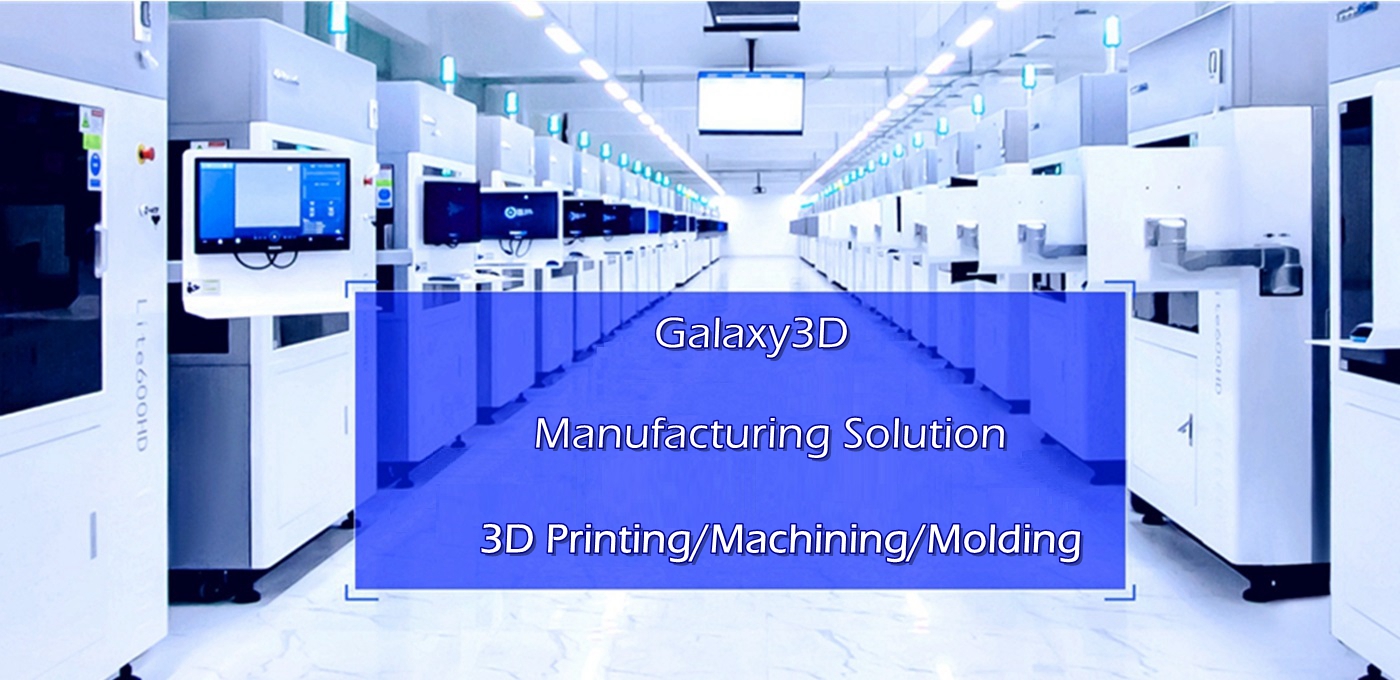
Galaxy 800 SLA 3D Printer
An affordable Industrial large printing size High Speed& Accuracy Stable Resin 3D printer in the world.
Galaxy600&800 are optional
Main Parameters:
| Item | Details | Remark |
| Laser System |
| Laer type | Solid-State Nd:YVO4 | Import |
| Wavelength | 355nm(3w) | 3w |
| Power | Resin Surface Power≥ 320 mW |
|
| OpticaL&Scanning System |
|
|
| Beam (Diamater@1/e 2 ) | 0.10-0.12mm | Variable Beam |
| Scanning Mode | Scancube10 |
|
| Scanning Speed | Surport2m/s、Profile4.5m/s、Infill 8m/s | Basic Printing Parameter |
| Power System |
| DMC | googoltech/leadtech |
|
| Electric Accessory | Power,Power switch,etc. | Schneider Electric.Omron |
| level transmitter | OPtex | Japan |
| Master Controller Operation System | Windows 7(32位) |
|
| Laser refrigeration system | Teyu | Optional |
| ELEVATOR SYSTEM |
| Frame-600 |
| HT300 Patent |
| ELEVATOR Accessory |
| TBI |
| Vertical Resolution Ratio | 0.0002mm |
|
| Repeat Positioning Accuracy | ±0.01mm |
|
| Coating&Forming Tech |
| Control Software | Storm6.0 | Patent design |
| Input File Format | STL |
|
| Layer thickness | 0.05mm(Precision)0.1mm(Standard)0.125mm(Rapid) |
|
| Coating Mode | Intelligent position vacuum recoating |
|
| Tank Volume | 230kg |
|
| Printing Size | 600mm(X)×600mm(Y)×450mm(Z) |
|
| Installation Condition |
|
| Power | 200-240VAC 50/60Hz, Single Phase, 10Amps |
|
| Work Temp. | 20-26ºC |
|
| Relative Humidity | <40%,non-condensing |
|
| Machine Size | 1220mm(W)×1297mm(D)×1828mm(H) | Without Screen |
| Machine Weight | 450kg |
|
| Warrenty |
| Laser System | Standard: 12Month,extensible |
|
| Whole Machine | Standard: 12Month,extensible |
|
What is SLA?
Stereolithography (SL, SLA) is the original 3D printing process still widely used today for its accuracy and speed.
Fast build and delivery reduces the design, engineering and test phases of product development and allows you to get to market faster.
SLA Technology Benefits
SLA makes it simple to build production models
Industrial 3D printing Parameter
Laser: Solid-state frequency tripled Nd: YVO₄
Wavelength:355 nm
Input Data File Format: STL
Recoater Frame: Granite
Systems Control: Closed-loop
Temperature Range: 72–79 °F (22–26 °C)
Maximum Change Rate: 1 °C/hour
Relative Humidity: < 40 % non-condensing
Platform Change Carts: Manual offload cart (optional)
Processing and Finishing: Post-Curing Unit (optional)
System Warranty: One-year warranty (under UnionTech’s Purchase Terms and Conditions)
Build Envelope Capacity: 55.1 × 27.6 × 19.7 in (1400 × 700 × 500 mm)
Accuracy: L < 100 mm: ±0.2mm, L≥100 mm: ±0.2% x L
Accuracy may vary depending on parameters, part geometry and size,pre-processing or post-processing methods, materials and environment.
Beam Size: Nominal 0.005 -0.008 in (0.12 - 0.2 mm)
Layer Thickness: 0.004 in (0.1 mm) minimum;
0.01 in (0.25 mm) maximum
Weight: 6277 lb (2,847 kg)
Machine Size (WxDxH): 113.5 × 6.9 × 94.3 in
(2882 × 1952 × 2395 mm)
Optical System: 2 laser and 2 galvanometer
3D Software:Solidcam, solidwork, solid concept, Rhino, CAD, Magics,
Standard SLA 3D file format in Printing: STL, STP, STEP,IGS,OBJ
Features of Galaxy3DM Industrial stereolithography 3D Printing :
Fast Printing speed
Large printing size
High accuracy
High precision
Smooth Service
Free post processing
All the advantages of stereolithography :
- Fast implementation of prototypes in early stages of product development
- Single-stage production process produces smooth surfaces even without finishing
- Low material consumption: non-hardened synthetic resin can be reused
- Production of both flexible and rigid 3D objects
- Cost-effective production
- Customized coloring
- Multi-part assemblies are possible
- Depending on the material, components may be brittle
- Support structures can limit design freedom
- Components are only UV-resistant to a limited extent
SLA 3D Printing Common Application:
1.Rapid Prototyping
3D printing allows for low cost, quick-turn functional prototypes, allowing you to test parts early and frequently through iterative designs.
2.Concept Models
The power of a physical model is the tangible communication of your idea to collaborators, stakeholders and clients. A 3D printed concept model is your vision made real, evoking excitement and facilitating feedback.
3.Investment Casting
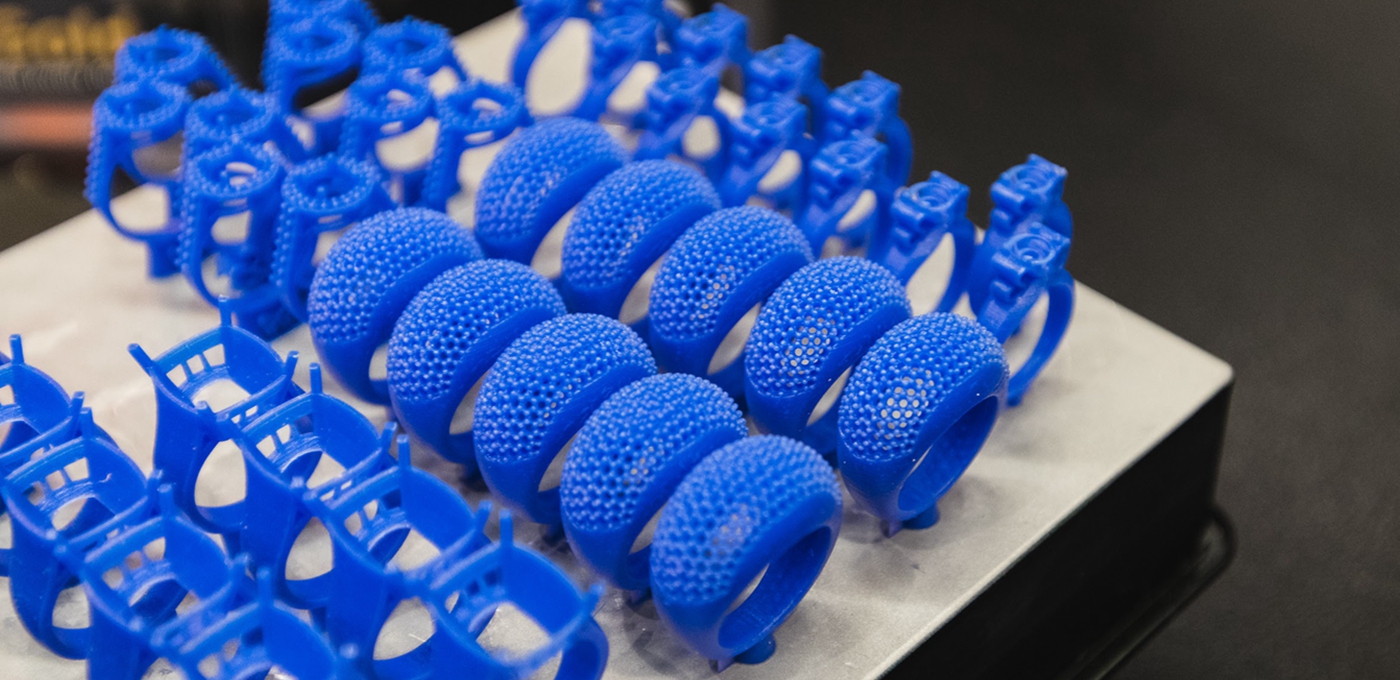
Tool-less patterns made with 3D printing open opportunities to increase foundry business by making investment casting more viable for customers. An alternative to wax and wood, patterns made with Stereolithography technology significantly reduce lead times and eliminate high tooling costs.
4.Low volume Production
After an original mold is produced by SLA 3D printing, Bridge toolings can be made according to this original mold.
Then Low Volume Production will be accomplished via Vaccum Casting, RIM, LSR, RTM,etc.
SLA 3D printing Application:
Industry
Electronics
Medical Development
Oral and Dental Treatment
Other: such as Low enhancement, Garden, etc.

Stereolithography (SLA) is an additive manufacturing process that belongs to the Vat Photopolymerization family. In SLA, an object is created by selectively curing a polymer resin layer-by-layer using an ultraviolet (UV) laser beam. The materials used in SLA are photosensitive thermoset polymers that come in a liquid form.
SLA is famous for being the first 3D Printing technology: its inventor patented the technology back in 1986. If parts of very high accuracy or smooth surface finish are needed, SLA is the most cost-effective 3D printing technology available. Best results are achieved when the designer takes advantage of the benefits and limitations of the manufacturing process.
SLA has many common characteristics with Direct Light Processing (DLP), another Vat Photopolymerization 3D printing technology. For simplicity, the two technologies can be treated as equals.
How does SLA work?
Here is how the SLA fabrication process works:
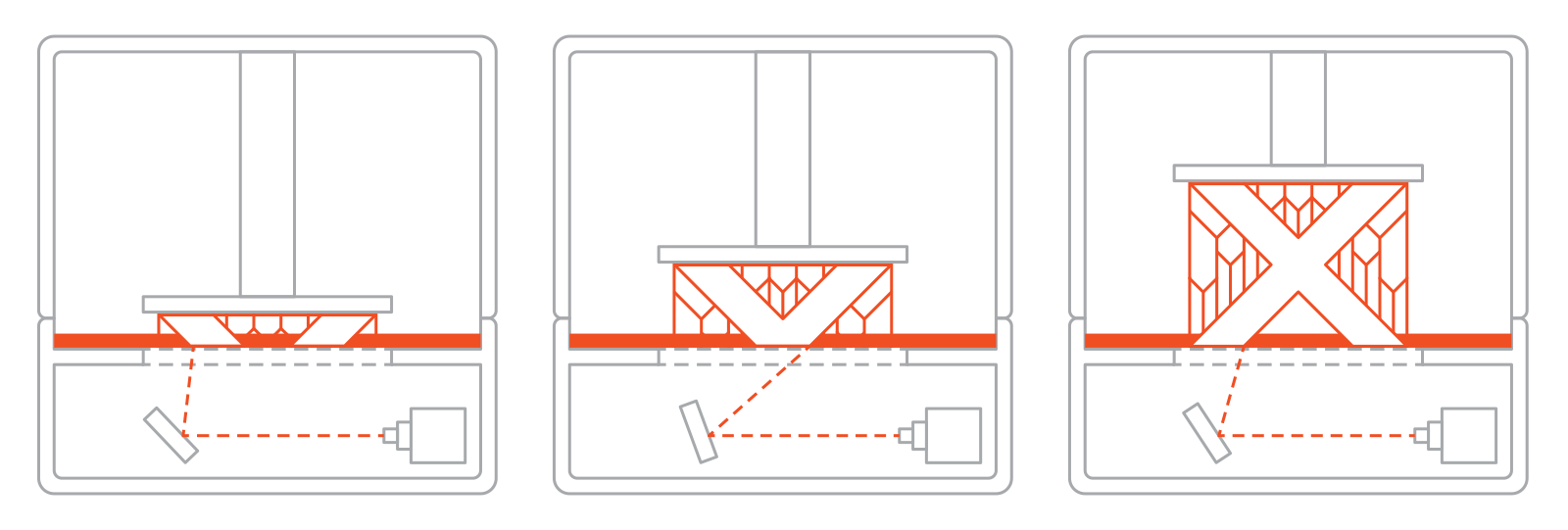
I. The build platform is first positioned in the tank of liquid photopolymer, at a distance of one layer height for the surface of the liquid.
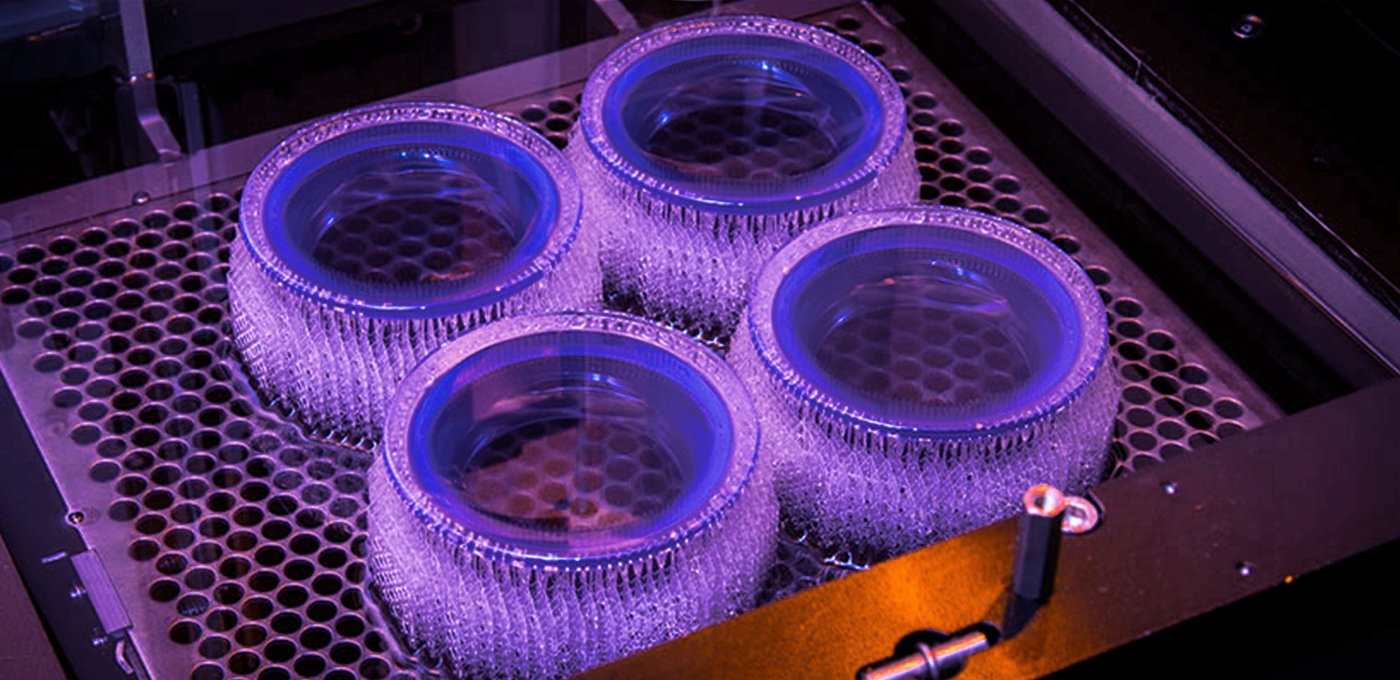
II. Then a UV laser creates the next layer by selectively curing and solidifying the photopolymer resin. The laser beam is focused in the predetermined path using a set of mirrors, called galvos. The whole cross sectional area of the model is scanned, so the produced part is fully solid.
III. When a layer is finished, the platform moves at a safe distance and the sweeper blade re-coats the surface. The process then repeats until the part is complete.
IV. After printing, the part is in a green, no-fully-cured state and requires further post processing under UV light if very high mechanical and thermal properties are required.
The liquid resin is solidified through a process called photopolymerization: during solidification, the monomer carbon chains that compose the liquid resin are activated by the light of the UV laser and become solid, creating strong unbreakable bonds between each other. The photopolymerization process is irreversible and there is no way to convert the SLA parts back to their liquid form: when heated, they will burn instead of melting. This is because the materials that are produced with SLA are made of thermoset polymers, as opposed to the thermoplastics that FDM uses.
Support Structure
Support structure is always required in SLA. Support structures are printed in the same material as the part and must be manually removed after printing. The orientation of the part determines the location and amount of support. It is recommended that the part is oriented so that so visually critical surfaces do not come in contact with the support structures.
Bottom-up and top-down SLA printers use support differently:
In top-down SLA printers, support requirements are similar to FDM. They are needed to print accurately overhangs and bridges (the critical overhang angle is usually 30o). The part can be oriented in any position and they are usually printed flat, to minimize the amount of support and the total number of layers.
In bottom-up SLA printers, things are more complicated. Overhangs and bridges still need to be supported, but minimizing the cross-sectional area of each layer is the most crucial criterion: the forces applied to the part during the peeling step may cause it to detach from the build platform. These forces are proportional to the cross-sectional area of each layer. For this reason, parts are oriented in an angle and the reduction of support is not a primary concern.
Post Processing
SLA parts can be finished to a very high standard using various post processing methods, such as sanding and polishing, spray coating and finishing with a mineral oil. An extensive article on post processing of SLA parts can be found here.
Bast Post Processiong: Removing the support structure from an SLA part
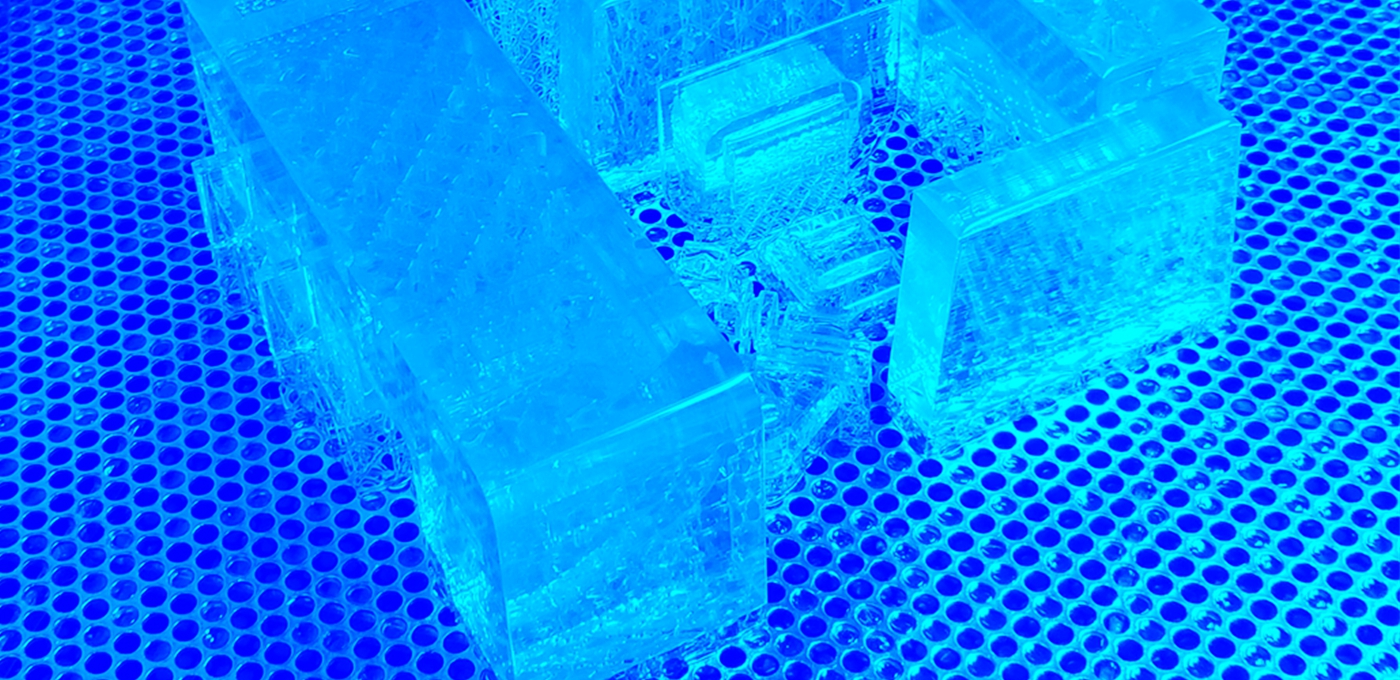
Special Material Post Processing: PMMA Transparent or Semi Transparent or Acrylic Material
When we print this kind of material, Post Processing take more procedure.
Transparent resin electronic housing cover with a range of post processing finishes. From left to right: basic support removal, wet sanding, UV protective acrylic and polished
Design guidelines for SLA
| The table below summarizes the recommended and technically feasible values for the most common features encountered in 3D printed parts. |
| Feature | Recommended size |
| Unsupported walls | 1.0 mm (0.0393'') |
| Supported walls | 0.5 mm (0.0197'') |
| Minimum feature size | 0.2 mm (0.00787'') |
| Minimum hole diameter | 0.5 mm (0.0197'') |
| Minimum escape hole diameter | 4.0 mm (0.157'')
|
Common SLA Materials
SLA materials come in the form of a liquid resin. The price per liter of the resin varies greatly, from about $50 for the standard material, upwards to $400 for the specialty materials, such as the castable or dental resin. Industrial systems offer a wider range of materials than desktop SLA printers, that give the designer a closer control over the mechanical properties of the printed part.
To meet Customer needs of Cost control in Galaxy3DM, both Chinese original Industrial Resin or Somos Resin are avaliable in SLA 3D printing.
The following table summarizes the advantages and disadvantages of the most commonly used resins:
| Material | Characteristics |
| Standard resin | Smooth surface finish |
| Relatively brittle |
| Clear resin | Transparent material |
| Requires post-processing for a very clear finish |
| Castable resin | Used for creating mold patterns |
| Low ash percentage after burnout |
| Tough or Durable resin | ABS-like or PP-like mechanical properties |
| Low thermal resistance |
| High temperature resin | High temperature resistance |
| Used for injection molding and thermoforming tooling |
| High cost |
| Dental resin | Biocompatible |
| High abrasion resistant |
| High cost |
| Rubber-like resin | Rubber-like material |
| Lower dimensional accuracy |
Galaxy3DM SLA 3D Printing Service FAQS
1.What is SLA 3d printing?
Stereolithography (SLA) is an additive manufacturing - commonly referred to as 3D printing - technology that converts liquid materials into solid parts, layer by layer, by selectively curing them using a light source in a process called photopolymerization.
2.How does SLA 3d printing work?
Stereolithography (SLA) printing was first invented in the 1980's and works by curing resin with light. The light solidifies a liquid resin via a process called photo-polymerization and builds objects layer by layer.
3.Is SLA 3d printing expensive?
In general, you could say that 3D printing small objects is cheap and 3D printinglarge objects is expensive. Prices go up exponentially as the object size increases. ... And although precious metals are even more expensive, jewelry production is very suitable for 3D printing.
4.How to control SLA 3D Printing cost?
A. Choose right resin Material
B. Adjust wall thickness
C. Choose right SLA 3D printing service provider, Galaxy3DM's printing cost is much less than any other 3D printing company in China.
D. Choose right Cooperation relationship with right SLA 3D printing service provider. Galaxy3DM provide special discount policy with VIP 3D printing partner.
5.What is the difference between SLA and SLS?
There are some common denominators, for example, both use a laser to trace out and build individual layers. For SLA a liquid resin is cured, whereas in SLS powder is selectively fused together.
6.How long can i receive the prototype by 3D Printing?
Usually it take 1-3days if material is not special. If it is PMMA material, since its post process take longer time, it will take about 1-5days to finish.
The delivery time is about 7-10days via DHL Carrier.
7.When we need to ajust the design file?
A. If the design file is not standard format. We need to adjust the file.
B. When we input original design file into Magics, if printing programmer found some structure error, we will remind the designer to fix it.
C. When the 3D model size exceed the Maxium printing size, for example 2m, we need to slipt the 3d model into 2parts.
8.Who adjust the design file?
Usually the designer may adjust the design file.
Sometimes, Galaxy3DM printing programmer may adjust the design file if this is approved by the design or our customer.
9.What is SLA resin made of?
SLA uses a UV laser to cure liquid resin into hardened plastic in a process called photopolymerization. Different combinations of the monomers, oligomers, photoinitiators, and various other additives that comprise a resin result in different material properties. SLA produces parts from thermoset polymers.
10.What is 3d printer resin?
Instead of using powder or filament, Stereolithography technology uses a liquid resin to produce 3D prints. ... The 3D printing process takes place in a large tank filled with liquid resin. To start the process, a layer of UV-sensitive liquid polymer is spread over a platform.
Who adopt 3d printing service?
Companies like Ford, Volvo, and BMW really uses 3D printing for rapid prototyping, experimental parts, and creating jigs and fixtures for manufacturing. Mercedes-Benz which is currently pioneering this niche among other truck producers, and makes more than 100 000 printed prototypes each year.
11.What is 3d slicing?
There are two major types of software that will allow printing a (good read-to-print) 3Dmodel file: A so-called slicer takes a3D drawing (most often in .STL format) and translates this model into individual layers. It then generates the machine code that the printer will use for printing. ... 3D printing.
What is SLA stereo?
12.Stereolithography (SLA or SL; also known as stereolithography apparatus, optical fabrication, photo-solidification, or resin printing) is a form of 3D printing technology used for creating models, prototypes, patterns, and production parts in a layer by layer fashion using photopolymerization, a process by which light causes chains of molecules to link, forming polymers.[1] Those polymers then make up the body of a three-dimensional solid. Research in the area had been conducted during the 1970s, but the term was coined by Chuck Hull in 1984 when he applied for a patent on the process, which was granted in 1986.[citation needed]Stereolithography can be used to create things such as prototypes for products in development, medical models, and computer hardware, as well as in many other applications. While stereolithography is fast and can produce almost any design, it can be expensive.
13.What 3d printing can do?
3D printing or additive manufacturing is a process of making three dimensional solid objects from a digital file. The creation of a 3D printed object is achieved using additive processes. In an additive process an object is created by laying down successive layers of material until the object is created.
14.What file formats are used in 3D Printing?
The most common and universal file formats for 3D printing are STL
Optional file format: STP,OBJ,IGS,etc.
15.Why 3d printing is the future?
3D printing, or additive manufacturing, has the potential to democratize the production of goods, from food to medical supplies, to great coral reefs. In the future, 3D printingmachines could make their way into homes, businesses, disaster sites, and even outer space.
16.Can I make money with a 3d printer?
One of the easiest ways to make money with a 3D printer is to offer the printer as a commercial service or to sell items that are made with it. Businesses and individuals often want objects produced through 3D printing, but don’t have the equipment. Additionally, as a skilled designer, you can make items and sell them. For both approaches, you can find robust marketplace communities that help to facilitate your services.
What is the difference between SLA, DLP and LCD 3D- Printing?
3D-printing was discovered more than 30 years ago by the original founder of 3D-systems. This first 3D-printer was named stereolithography apparatus and used a laser to cure a light reactive resin. During the years after the discovery, other companies like EnvisionTEC came up with new methods of curing the light reactive resin, by projector, instead of a laser. The last years, Other companies made resin based 3D-printing accessible for everyone by the introduction of cheaper LCD based 3D-printers.
During these past years, many companies came up with their own 3D-printing technique and named it differently, although it is based on one of the three techniques.
Laser SLA is based on the original invention, The laser is used to selectively cure the resin, by scanning the surface. The resin cures and becomes a hard plastic at the spots where the laser ‘hits’ the resin.
DLP-SLA is a technique which uses a projector to selectively cure the resin. It is generally a faster printing technique compared to Laser SLA, due to the fact that the projector can expose the whole layer at once, where a laser has to scan to cure the resin. A few single LED’s are in the center of the DLP projector. The light from these LED’s is guided to a DMD chip, which creates the actual curing pattern.
One of the latest developments in resin 3D-printing is MSLA, also called LCD based 3D-printing. This technique uses an affordable LCD screen to create the mask, eliminating expensive DMD chips that are used in DLP techniques. This technique works by an array of LED’s illuminating on the LCD. The LCD is used as a mask, which creates the curing pattern. The liquid resin turns into a rigid plastic on the spots where the light ‘hits’ the resin.
How do SLA, DLP and LCD 3D-printers compare?
There are many differences between the three main resin based 3D-printing techniques. The table below shows the generic differences.
| Laser SLA | DLP SLA | LCD |
Build Area | ++ | – | + |
Price | – | – | ++ |
Speed | + | ++ | – |
Quality | ++ | ++ | + |
One of the main drawbacks of Laser SLA techniques is its price for the machines and consumables. This also applies to DLP 3D-printers. DLP printers have another technical disadvantage to keep in mind, the (affordable) DMD chips are usually 1920*1080 pixels, which limits the quality of printing when upscaling the build area. LCD based printing is a lot cheaper compared to the other techniques. These machines are more affordable and also consumables like FEP foil for your resin tray is cheaper.
What most users don’t realize is that the LCD display is also count as a consumable, which should be replaced from time to time.
The build area is dependant on each machine and technically it is easier to create a bigger build area, by placing a bigger LCD in the machine.
Key differences between SLA, DLP and LCD 3D printing
Though SLA, DLP and LCD are largely similar — they both cure resins and operate layer by layer — there are some key differences between them.
The biggest difference between SLA and DLP is the difference in method used to cure the resin.
DLP uses a projector, LCD 3D printing uses an LCD screen, and SLA uses a UV laser that traces the dimensions to be printed. DLP and LCD are faster than SLA as they can create entire layers at once, whereas SLA requires manually tracing the dimensions of each layer with the laser.
Another lesser difference but worth noting is that DLP 3D printers usually have shallower resin tanks — the tanks which resin material is stored in during printing. If you’re big on saving money this is an advantage, as this reduces the waste of expensive unused resins.
SLA vs DLP vs LCD: 3D Printer Comparison
If you’re choosing between an SLA or DLP 3D printer, what’s best for you depends largely on your printing priorities.
If you value reliability, go with an established brand known for solid printing such as Formlabs’ Form 3 SLA printer. Again, the technology differences are small enough that it is more based on what you as an individual require, rather than choosing between two technologies.
In the same vein, if you need a printer capable of producing jewelry molds, or models for use in dentistry, pick a printer that specializes in these areas such as an EnvisionTEC DLP printer .
If you’re looking for a cheap printer that can print passable prototypes at home and can accept slightly lower quality, go with an LCD 3D printer such as the Elegoo Mars or AnyCubic Photon S.
SLA vs DLP vs LCD: Print Quality Comparison
Resin 3D printing is known for being one of the most accurate and precise 3D printing technologies, and even low cost LCD printers are able to create complex geometries that technologies like Fused Deposition Modeling just cannot match.
Honestly, the print qality of an LCD 3D printer compared to a DLP or SLA 3D printer depends on the 3D printer used. An expensive SLA 3D printer will be far better than a cheap DLP 3D printer, with higher quality components used and better resolutions and precision.
The technologies themselves are similar in their ability to create accurate models, it is the execution that affects quality.
Resin Comparison
Some resins may work with both DLP and SLA printers, or with DLP and LCD printers, so there is some overlap. But not always, as though some 3D printer companies allow their machines to be used with any third party resins, some restrict them to only use their branded resins.
The best resins for you ultimately depend on what you’re looking to achieve with SLA, DLP or LCD 3D printing. Basic resins exist for fun, hobbyist 3D printer projects, as well as specialized castable, dental, engineering, or 3D printed jewelry resins.
More industrial and professional quality resins will cost more, and can cost upwards of $100/liter. The most basic resins can cost far less, at around $40, but will not offer the same level of quality, even on high quality resin printers.
SLA vs DLP vs LCD: Print Speed
Due to SLA involving a laser passing over each area of the part to be solidified, while DLP and LCD can cure whole layers instantly, DLP and LCD are generally faster than SLA printers.
As for which is faster between DLP and LCD, again this depends on the 3D printer you purchase. More expensive resin 3D printers will likely print faster and at better quality, and a $2,500 DLP 3D printer will almost certainly print faster than a $300 LCD 3D printer.
Difference between SLA and DLP
While there are benefits and limitations similar across both SLA and DLP, there are also a few key differences that you might want to know if you’re considering getting a resin-based printer of your own.
1. DLP printing is faster
The most obvious distinction that can be made between SLA and DLP is the printing speeds. SLA printing uses a single beam of UV laser to trace the pattern of an entire layer before moving on to the next one. This is by no means a slow process since it takes just a few seconds (or less than a second, in some cases), but it’s still significantly slower than DLP printing.
In DLP printing, an entire layer is cured at a time. This means that the speed of DLP printing is the same regardless of the cross-sectional area of each layer. If you need to print multiple small objects at the same time, it’s going to be finished much faster on a DLP printer compared to an SLA printer.
2. SLA prints are easier to finish
As you would expect, the superior speed of DLP printing comes at a price. The movement of the UV laser during SLA printing creates perfectly smooth curves since the laser point is in the shape of a circle. On the other hand, the LED lights used in DLP printing casts light in the form of square pixels. Although these square pixels are very small, artifacts called voxels can still show up, especially on curved surfaces.
When it comes to DLP printing, you can think of the resolution as being similar to the resolution of an image on your computer screen. DLP printers are available at different resolutions; higher resolution printers are capable of emitting smaller pixels, resulting in an overall smoother finish. You also have the option of reducing the pixel size of your design, but it also means reducing the size of the build.
This difference in resolution between SLA and DLP prints brings us to the point of this item, which is that SLA prints have less pronounced printing artifacts that will need to be finished and polished away. Compared to FDM prints, a DLP print still looks way better – but you’ll still have to do some extra work to make it perfect.
3. SLA printers are more expensive and harder to maintain
We’ve mentioned that modern DLP printers no longer make use of the DMD array of mirrors, opting instead for a panel of LED lights. This improvement has made DLP printers cheaper and much easier to maintain. Since it has no moving parts, there are much fewer things that can go wrong with a DLP printer. Should its LED panel get damaged, then it can simply be replaced by a new one.
On the other hand, the moving deflector of an SLA printer typically requires professional intervention for maintenance and calibration. How the deflector translates the slicer design into X and Y movements is a very important part of the SLA printing process – one that requires maintenance on both the hardware and software sides. The optical element that deflects the laser to the resin vat also needs to be cleaned and checked for damage or signs of warping regularly.













 Email:info@galaxy3dm.com/info@seetoptech.com
  Address: